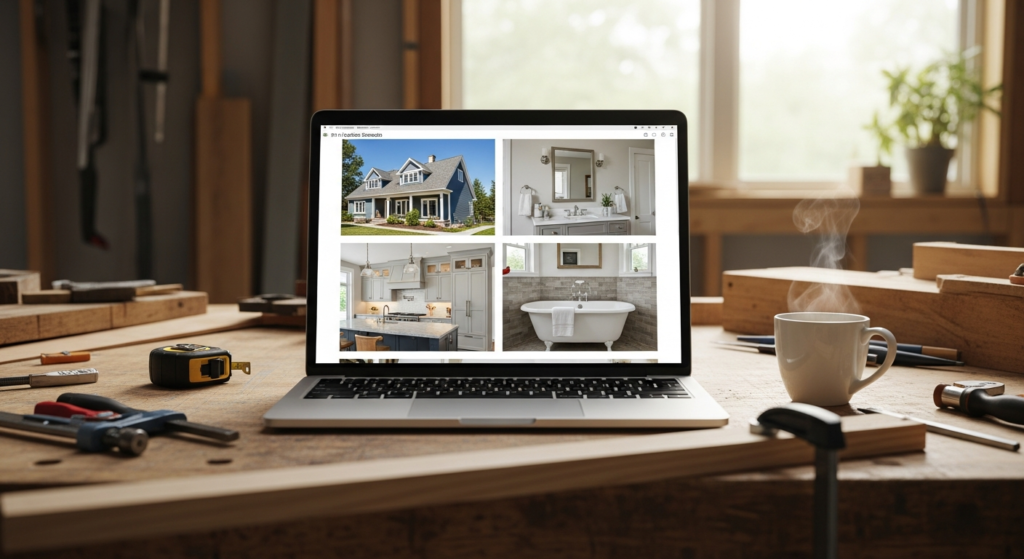
Introduction
Almost every trade website has some sort of gallery or “our work” page. Most of them are forgotten the moment they go live.
A row of unlabelled photos. No context. No story. No call to action. The visitor scrolls, nods, and clicks away.
A proper portfolio page is one of the highest-converting pages on a trade website. It can outperform the homepage when it is built well. Here is what separates a portfolio that wins work from a gallery that just sits there.
Why Galleries Fall Flat
A gallery shows the work. A portfolio sells the work.
Most gallery pages on trade websites have the same three problems:
- They are a wall of photos with no captions
- The photos are taken at random, with no story or order
- There is no clear next step at the end
The visitor lands, looks for a few seconds, and leaves none the wiser. They cannot tell which jobs are like theirs. They cannot tell what made each project special. And they are not given a reason to enquire.
A portfolio fixes every one of those problems.
What a Portfolio Page Actually Needs to Do
When a homeowner lands on your portfolio page, they are asking three quiet questions:
- Have you done a job like mine before?
- What was it like working with you?
- How do I get started?
If your portfolio answers those three questions, the visitor will pick up the phone or fill in the form. If it does not, they will keep clicking around until they get bored, and then they will go to a competitor.
Build the page to answer those three questions in order, and the conversions follow.
Step 1: Group the Work By Job Type
Do not dump every job into one big grid. Group them.
For most trade businesses, the natural groupings are:
- By service, extensions, lofts, roofs, kitchens, bathrooms, electrical rewires, and so on
- By scale, small jobs, mid-sized projects, full renovations
- By customer type, domestic, commercial, landlord
Pick the grouping that matches the way customers actually search for you. If most of your enquiries say things like “do you do flat roofs?”, group by service. If most of your work splits into small fixes vs full installs, group by scale.
The visitor should be able to scroll to the kind of job that looks like theirs in seconds.
Step 2: Tell Each Project’s Story
A photo on its own is forgettable. A photo with a short story is not.
For each project, write three or four short paragraphs covering:
- Where it was, the area or town (great for local SEO)
- What the customer wanted, the problem they had
- What you did, the work in plain English
- How it turned out, the outcome and any kind words from the customer
You do not need 800 words per project. A hundred is plenty. The point is to give the visitor enough context to picture themselves in that customer’s shoes.
If the customer gave you a quote, drop it in. A real sentence in real words from a real customer is worth more than three paragraphs of your own copy.
Step 3: Use Before-and-After Photos
Single shots are fine. Before-and-after pairs are better.
A finished kitchen is a nice photo. The same kitchen six months earlier, tired and dated, next to the finished version, is a sales tool.
For each project, aim for:
- One strong before photo
- One strong after photo
- Two or three during photos to show the process
- One detail photo of the finishing touches
Twelve photos per project is too many. Five is plenty if they are well chosen.
If you have not been taking before photos, start today. Even a quick phone snap before you start any work will pay for itself the first time you put it on the site.
Step 4: Caption Every Photo Properly
Every photo on the page should have a caption. Two or three lines, no more.
A caption like “Bathroom fitted in Bristol, full refit including underfloor heating and walk-in shower, completed in eight working days for repeat customer Mr and Mrs J” tells a much richer story than the same photo with no caption.
Captions also help Google understand what is on the page, which helps your SEO. Two birds, one stone.
Step 5: Add a Clear Next Step at the End
Every project on the page should end with a small nudge. Something simple like:
“Have a similar job in mind? Get a free, no-pressure quote. Either ring [number] or fill in the short form below.”
And the page itself should end with a bigger version of the same thing. A clear, friendly call to action that tells the visitor exactly what to do.
A surprising number of portfolio pages just stop. The visitor reaches the end, and there is nothing. No phone number. No form. No nothing. That is leaving money on the table.
Step 6: Keep It Fresh
A portfolio page is not a one-off task. It is a living page.
Aim to add a new project every month or two. Even one paragraph and three photos. This does three useful things:
- Shows visitors you are busy and current
- Gives Google fresh content to rank
- Builds a long-term library of proof you can reuse on social media
The trade businesses with the strongest portfolios after two years are the ones that added one project a month, not the ones who tried to add fifty in one weekend.
A Simple Order That Always Works
If you are starting from scratch, build the page in this order:
- A short intro explaining the kind of work you do and the kind of customer you do it for
- Service or scale groupings so the visitor can jump to what is relevant to them
- Project blocks, each with photos, a short story, and a captioned before-and-after
- A testimonial or two spread through the page, not all clumped together
- A clear, friendly call to action at the end
That structure works for any trade. Roofers, plumbers, builders, landscapers, electricians, the lot.
The Bigger Picture
Your portfolio is the closest thing your website has to standing in someone’s kitchen, pointing at a folder, and saying “here is what we do, and here is who we do it for”.
When it is built properly, it does not just impress visitors. It pre-qualifies them. By the time they pick up the phone, they already trust you, they already know roughly what kind of job they want, and they have already half-decided to use you.
That is what a real portfolio page is for. Not a gallery. A sales tool.
Related Reading
Frequently Asked Questions
How many projects should I show on my trade portfolio page?
Aim for between 8 and 15. Fewer than 8 looks thin. More than 15 starts to overwhelm visitors. The trick is to pick the projects that best represent the kind of work you want more of, not the kind of work you have most of. Quality and relevance beat volume every time.
Should I group portfolio projects by service or by area?
Group them in whichever way matches how customers ask for you. If most enquiries are service-led (“do you do flat roofs?”), group by service. If most are project-led (“we want a full bathroom”), group by project type. The visitor should be able to scroll to the kind of job that looks like theirs in seconds.
Do I need before-and-after photos for every job?
Not every single one, but the more pairs you have the stronger the page becomes. A finished kitchen photo on its own is fine. The same kitchen six months earlier, looking tired, sat next to the finished version, is a sales tool. Get into the habit of taking a before photo on every job from now on.
How often should I update my portfolio page?
Add one new project a month at a minimum. This shows visitors you are busy and current, gives Google fresh content to index, and quietly builds a long-term library of proof. Trade businesses with the strongest portfolios after two years are the ones who added one project a month, not the ones who tried to add fifty in a weekend.
Want a Pair of Fresh Eyes on Your Website?
A free Marketing Flight Check from Brightr is a full audit of how your trade business looks and performs online. We will tell you exactly which pages are working, which are not, and what to fix first.